









A8900 How To Guide

Quick Setup Guide
A8900 K5 Smart Payment Terminal
(This document is intended for professional cashiers, not consumers)
PAX TECHNOLOGY AUSTRALIA (PTA)
1. Checklist
Congratulations on receiving your PAX Technology payment terminal. We do hope you enjoy it! The box you have just opened should contain the following items:
• 1 x PAX A8900 K5 Smart Payment Terminal
• 1 x Thermal Paper Roll
• 1 x AC Power Adapter
• 1 x Battery
• 1 x Type-C Cable
2. Product Description
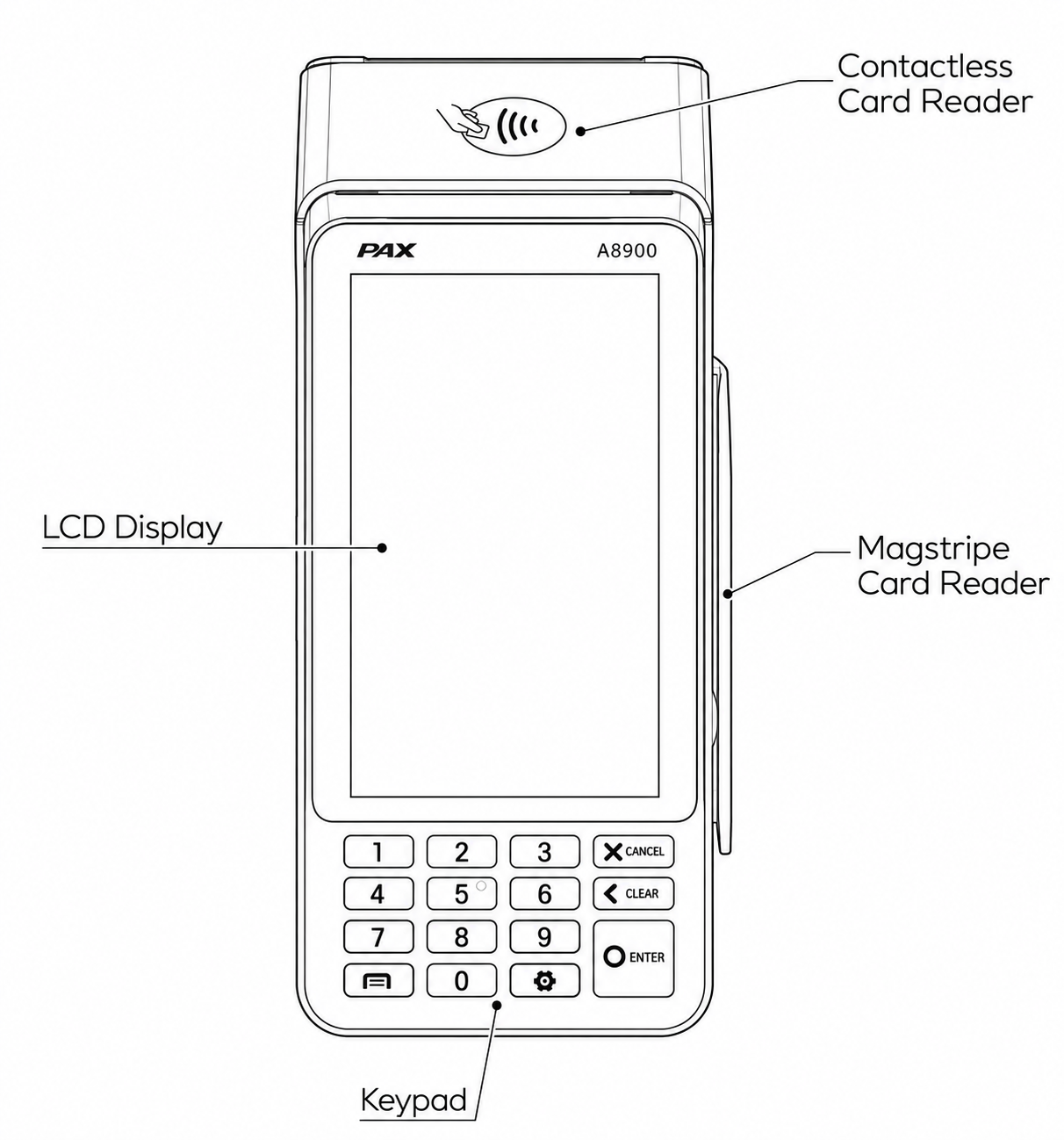
Front View
3. Instructions
- Power ON: Press and hold the power button down for 3 to 5 seconds and then release.
- Power OFF: Press and hold the power button down for 3 to 5 seconds and then release.
4. Specification
- Operation System: Android 12
- CPU: Cortex A53, Quad Core, 2.0 GHz processor
- Display: 4 inch, 480 x 854
- Keypad: Physical keypad
- Wireless Communication: Wi-Fi 2.4GHz/5GHz, Bluetooth 5.0
- Card Readers: Contactless + Chip & PIN + Magstripe
- Camera: Front and rear camera options
- Printer: High-speed 40mm thermal printer
- Battery: 5100 mAh / 3.6V
- Certification: PCI PTS 6.x
5. Icons
 Dispose in a professional recycling manner
 Class II equipment
 For indoor use only
 Energy efficiency marking
 AC voltage
 DC voltage
 microSD logo
Trademark notice:
“microSD logo is a trademark of SD-3C LLC.”
PAX Technology Australia (PTA)
Supplier: PAX Technology Australia (PTA)
Address: Level 5, 26 Talavera Road, Macquarie Park, NSW 2113, Australia
Tel: +61 413 841 534
Support: swsupport@paxtech.com.au
Website: www.paxtech.com.au
PAX Technology Australia (PTA) continually invests to maintain its high quality products up to date with the latest certifications, therefore a comprehensive list can be requested via the website's contact form or on downloadable product brochures.
